 Peri
PeriSample diary and report contents
See how a filled-in diary reads after two weeks, and what goes into the report the Peri app creates for appointments.
Sample: two-week symptom diary
This PDF was made with our printable symptom diary from a fictional fixture. It is not a real person’s data and is marked “Sample” on the page.
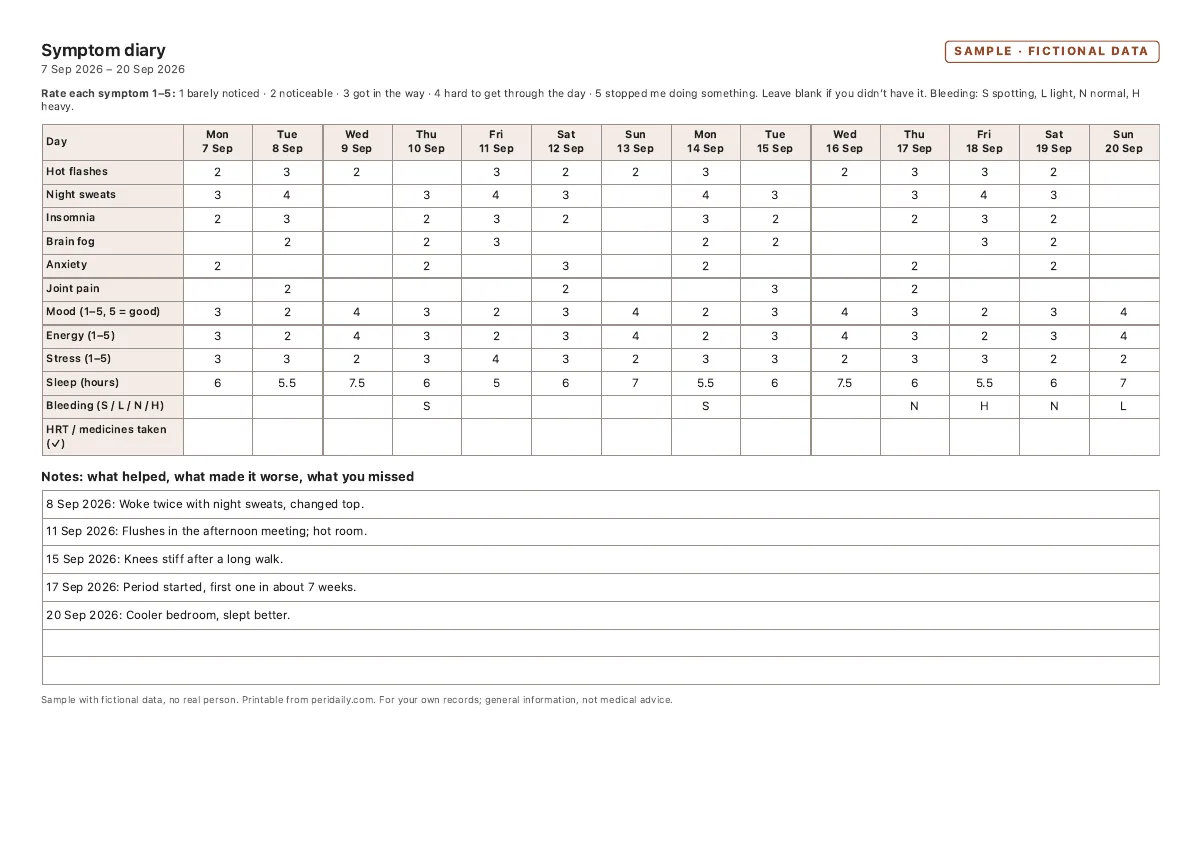
How to read it
- Night sweats were logged on most nights, often rated 3 or 4, and sleep was shortest on those nights.
- Joint pain was logged less often and mostly rated 2.
- Spotting on two days and a period starting on day 11 are on the bleeding row, so the timing is easy to see next to the symptoms.
That’s the kind of summary to bring to an appointment: how often, how strong, and what changed. It describes the diary; it doesn’t explain the cause.
What the Peri app report contains
Peri Premium creates a PDF from your own logs. On iPhone you choose 30, 90 or 180 days and which sections to include:
- Header: date range and a note that it’s for information, not a diagnosis
- Profile: the name from your profile (or “Patient”) and your stage
- Symptom summary: days logged, average severity out of 5 and trend for each symptom
- Cycle summary: average cycle length and logged period events
- Medications and HRT: dose and schedule as you entered them, doses logged and missed
- Daily notes from the period
The Android report has the same sections with slightly different headings. CSV export is free on both.
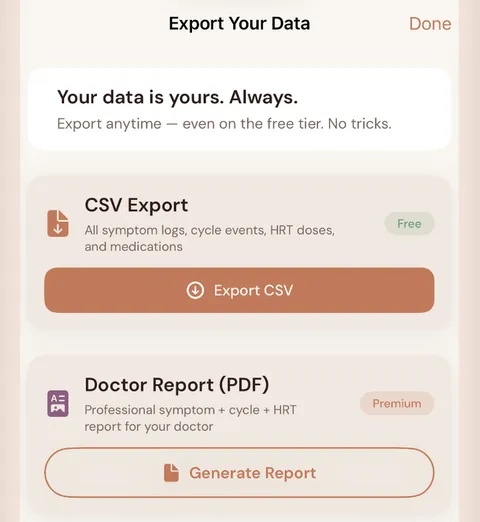
We haven’t shown a filled-in app report here, because a realistic one needs months of health logs. The diary above is a website sample, not a copy of the app report.